Withdrawals
A withdraw session moves funds out of your app. Your backend decides what leaves (the source asset) and who holds it (the user's wallet or your app). The user picks where it goes: a wallet address ("To wallet"), their own bank or e-wallet account ("To cash"), or a Cash App $cashtag or Lightning address ("To Cash App"). Your backend can also set the target and lock it (see Locked targets).
The same modal, server and adapters run deposits and withdrawals. The session's direction picks the flow.
Create a withdraw session
// app/api/withdraw-session/route.ts
import { openramp } from '@/lib/openramp'

export async function POST() {
  const user = await getUser() // your auth
  const session = await openramp.sessions.create({
    userId: user.id,
    direction: 'withdraw',
    source: {
      chain: 'eip155:8453', // Base
      token: '0x833589fcd6edb6e08f4c7c32d4f71b54bda02913', // USDC on Base
      symbol: 'USDC',
      decimals: 6,
      custody: 'user_wallet', // or 'app'
    },
    // Optional: limit where the user can send it
    allowedDestinations: {
      crypto: { chains: ['eip155:8453', 'eip155:42161', 'eip155:10'] },
      fiat: {}, // any currency
    },
    amountBounds: { min: '5', max: '1000', currency: 'USDC' },
    country: 'PH',
  })
  return Response.json(session) // { id, clientSecret, expiresAt }
}
A withdraw session takes source, not destination. The server returns 400 when a withdraw session has a destination, or when source is missing or not valid:
| Field | Rule |
|---|---|
source.chain | A CAIP-2 chain id, for example eip155:8453 |
source.token | A token address for that chain, or native |
source.custody | 'user_wallet' or 'app' (see Custody) |
source.symbol, source.decimals | Optional. The server fills them for USDC on known chains and for the native token. |
Set amountBounds.currency to the source token symbol (for example USDC). The amount the user enters is in the source token, and the server enforces the bounds on it. See CreateSessionInput.
Open the modal
import { OpenRampProvider, WithdrawButton } from '@openrampkit/react'

const getClientSecret = () =>
  fetch('/api/withdraw-session', { method: 'POST' }).then((r) => r.json()).then((j) => j.clientSecret)

<OpenRampProvider baseUrl="/api/openramp" wallet={wallet}>
  <WithdrawButton getClientSecret={getClientSecret} onComplete={(s) => refreshBalance()} />
</OpenRampProvider>import { openWithdraw } from '@openrampkit/web'
const handle = openWithdraw({ baseUrl: '/api/openramp', clientSecret: getClientSecret, wallet })
const session = await handle.done // resolves when the withdrawal completesWithdrawButton, WithdrawButton.Custom, useOpenRamp().beginWithdraw(), openWithdraw() and createWithdrawController() refuse a deposit session. OpenRampEmbedded follows the session's direction. See @openrampkit/react and @openrampkit/web.
To wallet
The user picks a network, a token and an address. The token list has USDC (when the chain has a known USDC address) and the native token. On the source chain, it also has the source token. The address is prefilled with the connected wallet.
| Target | Amount | Quote |
|---|---|---|
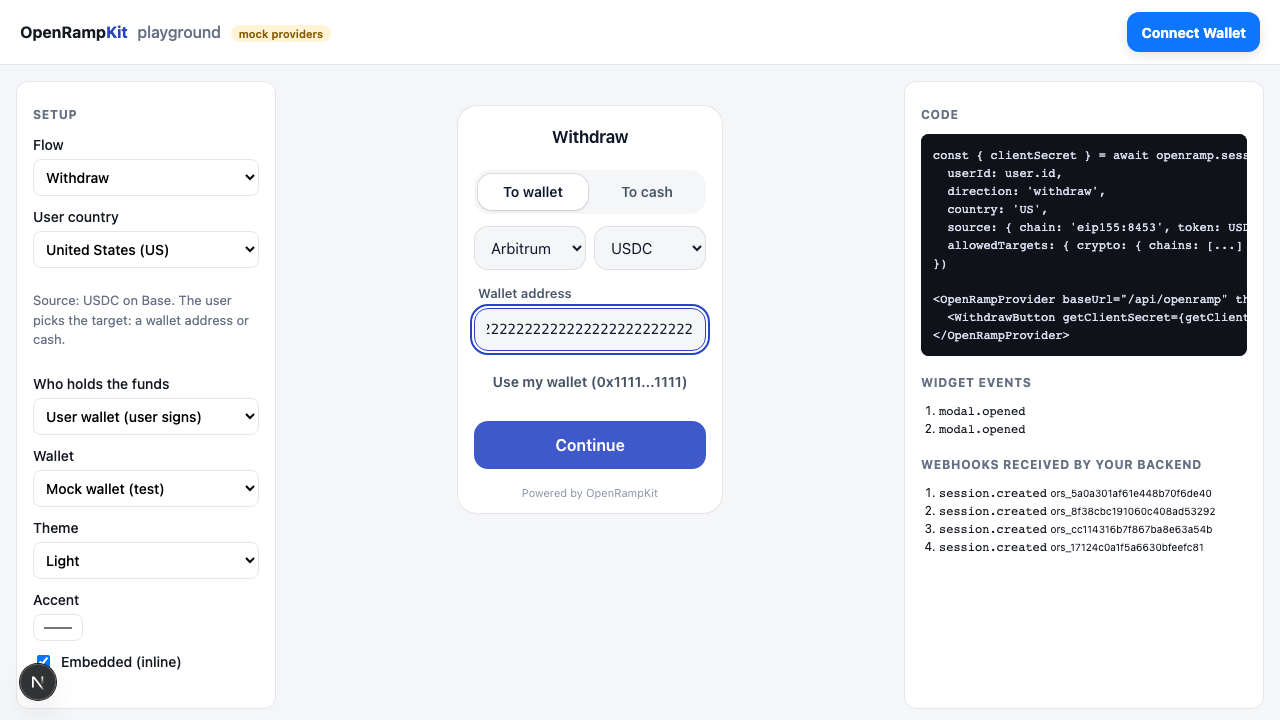 |  |  |
- The modal checks the address format. Then it sends the target to the server with
POST /sessions/:id/target. - The server checks the format again, then
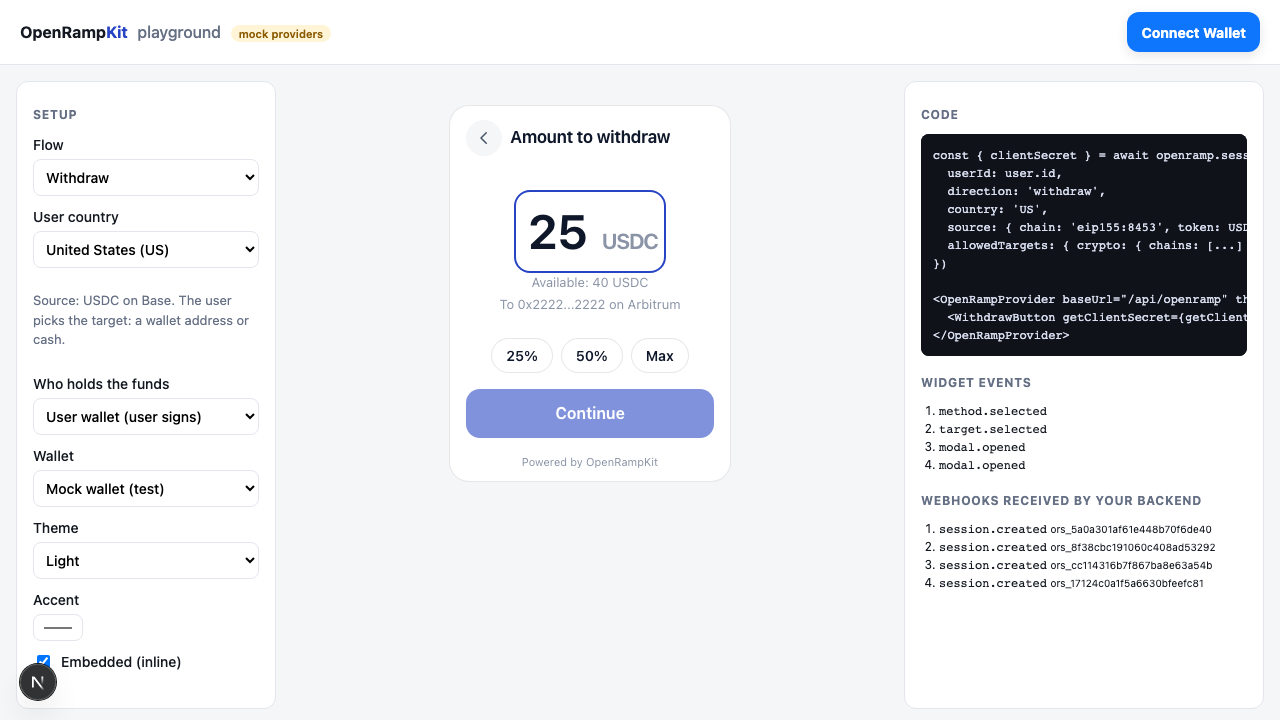
allowedDestinations, then yourscreenAddresshook. It stores the target as the session destination and returns the plan. - When only one method is available, the modal goes straight to the amount screen. The amount is in the source token. The modal shows the wallet balance of the source token when the wallet reports it.
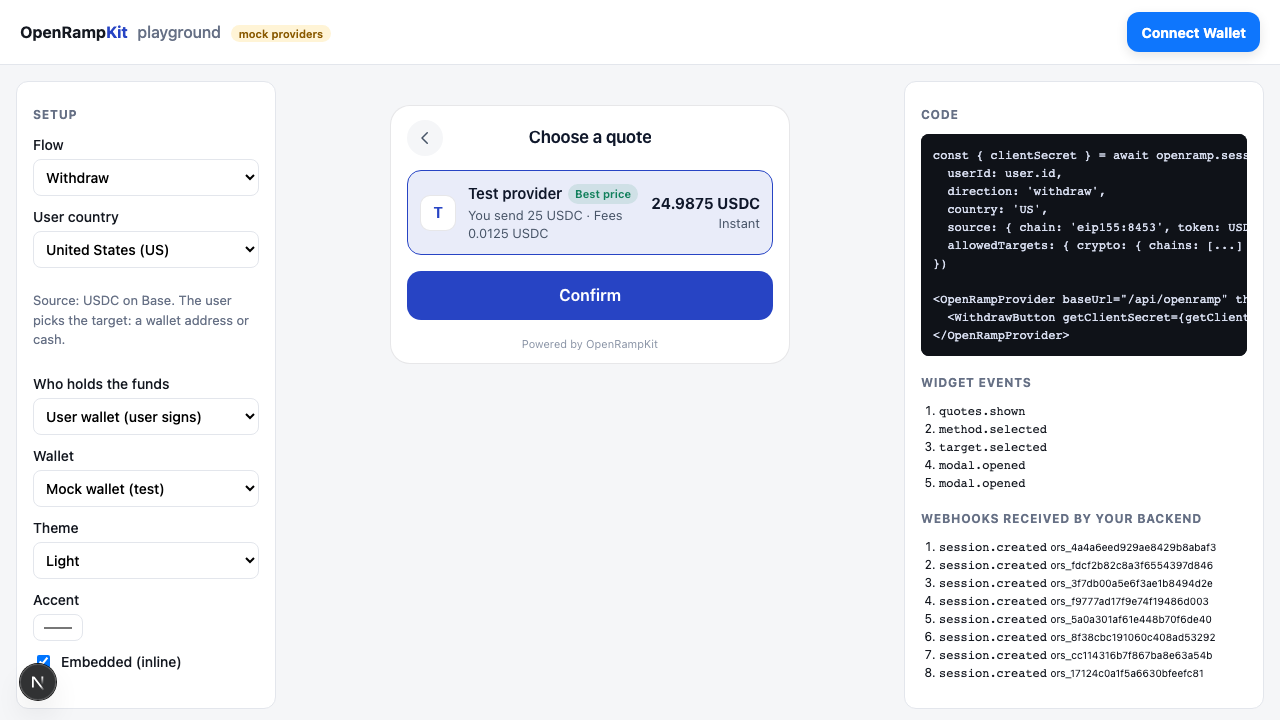
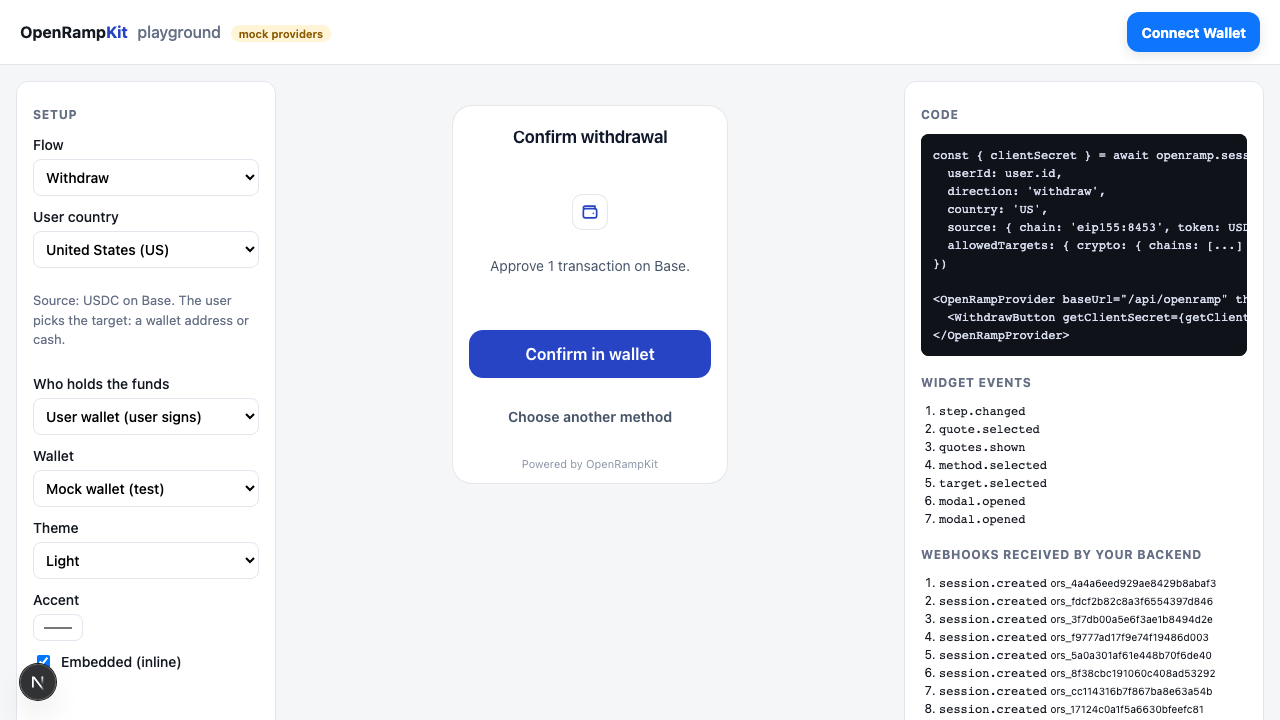
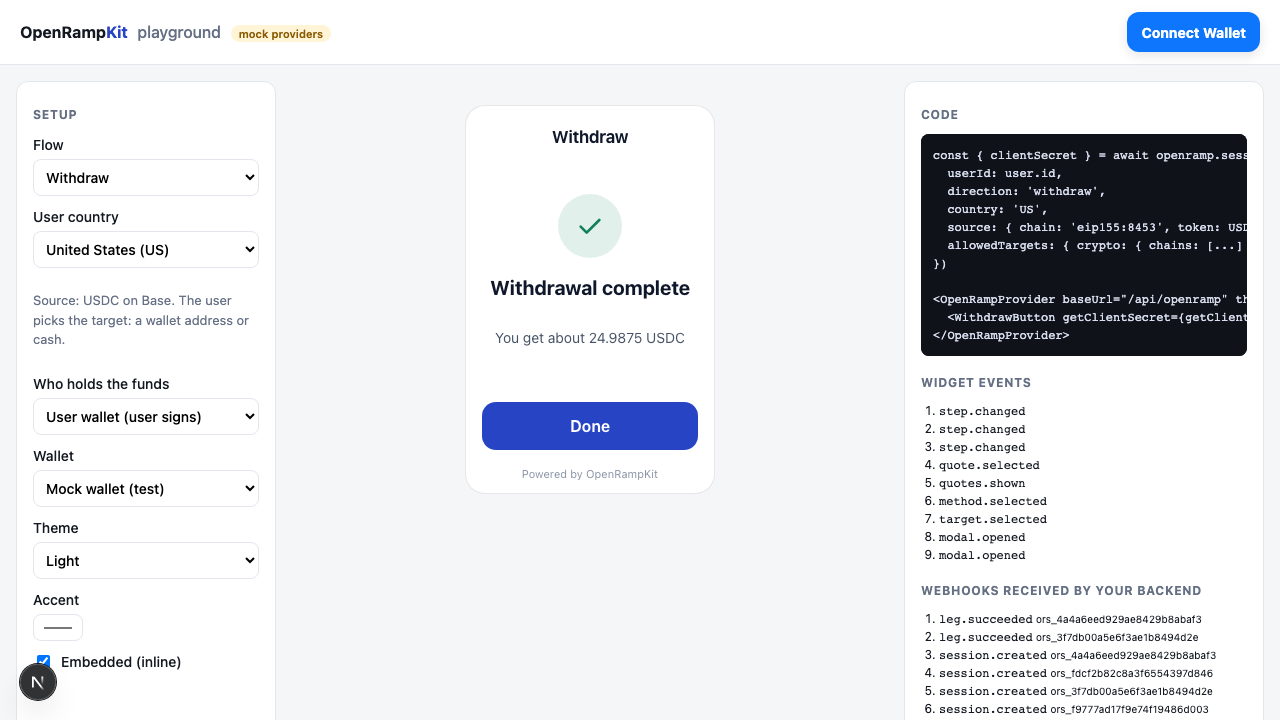
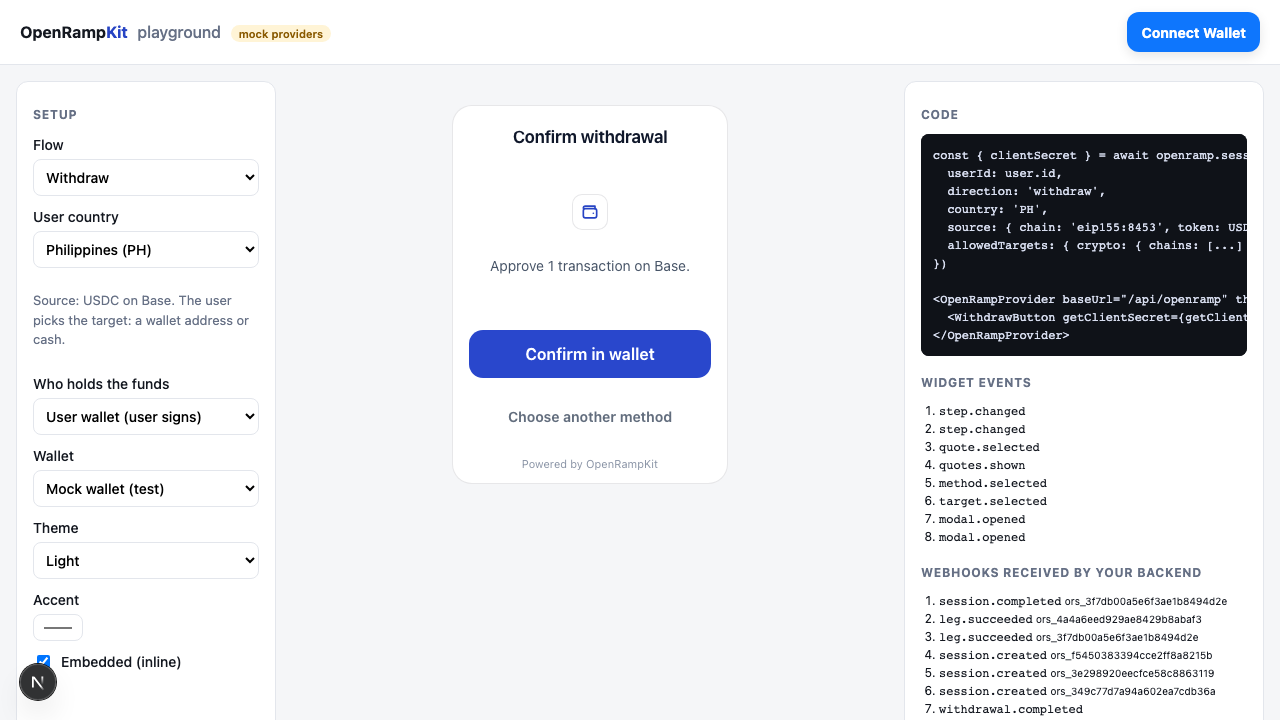
- The user confirms a quote. The leg asks for a wallet transaction (
WALLET_TX). Withcustody: 'user_wallet', the user approves it in the wallet. Withcustody: 'app', the server sends it through your treasury hook. - The leg completes. The server sends
session.succeeded.
| Confirm in wallet | Done |
|---|---|
 |  |
The Relay adapter runs "To wallet" in production. Its wallet leg delivers to any address, across chains and tokens. A move on the same chain and token is a plain transfer that the adapter checks on chain.
To cash
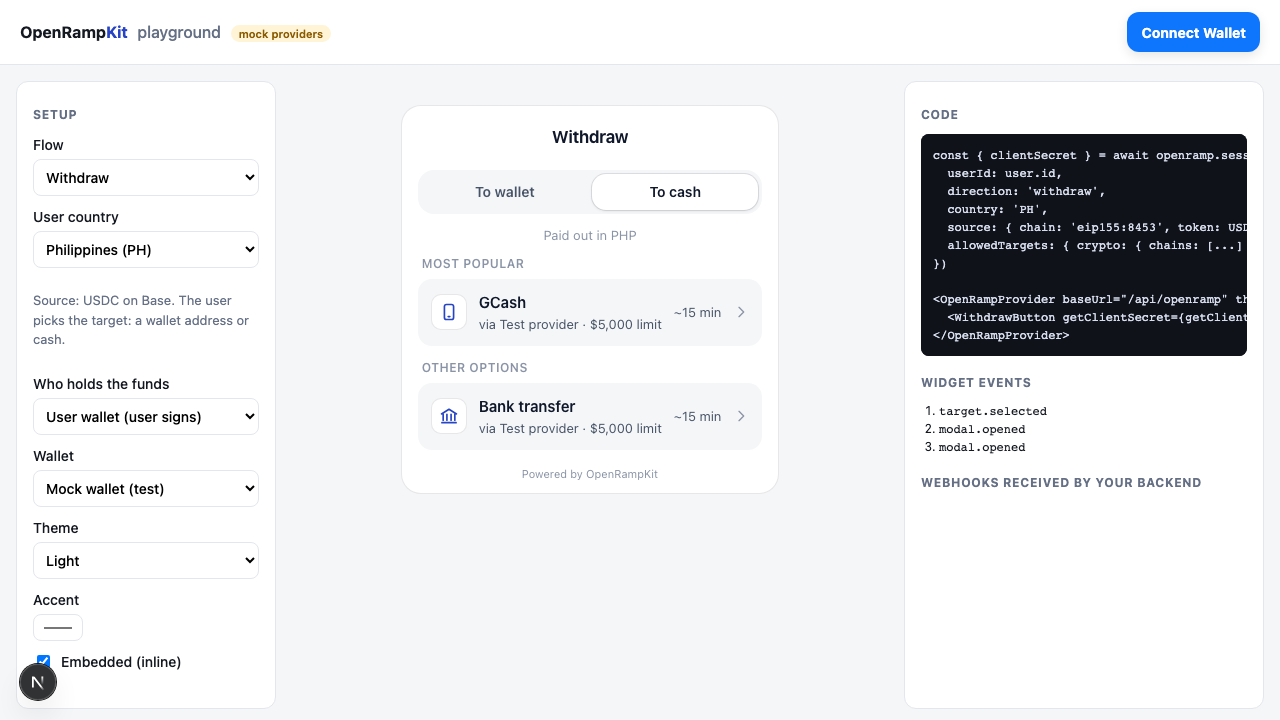
The "To cash" tab pays out in the user's local currency (from the session country). When allowedDestinations.fiat.currencies does not have that currency, the tab uses the first allowed currency. The modal sends { type: 'fiat', currency } to POST /sessions/:id/target and shows the payout methods.
| Payout methods | Quote |
|---|---|
 | 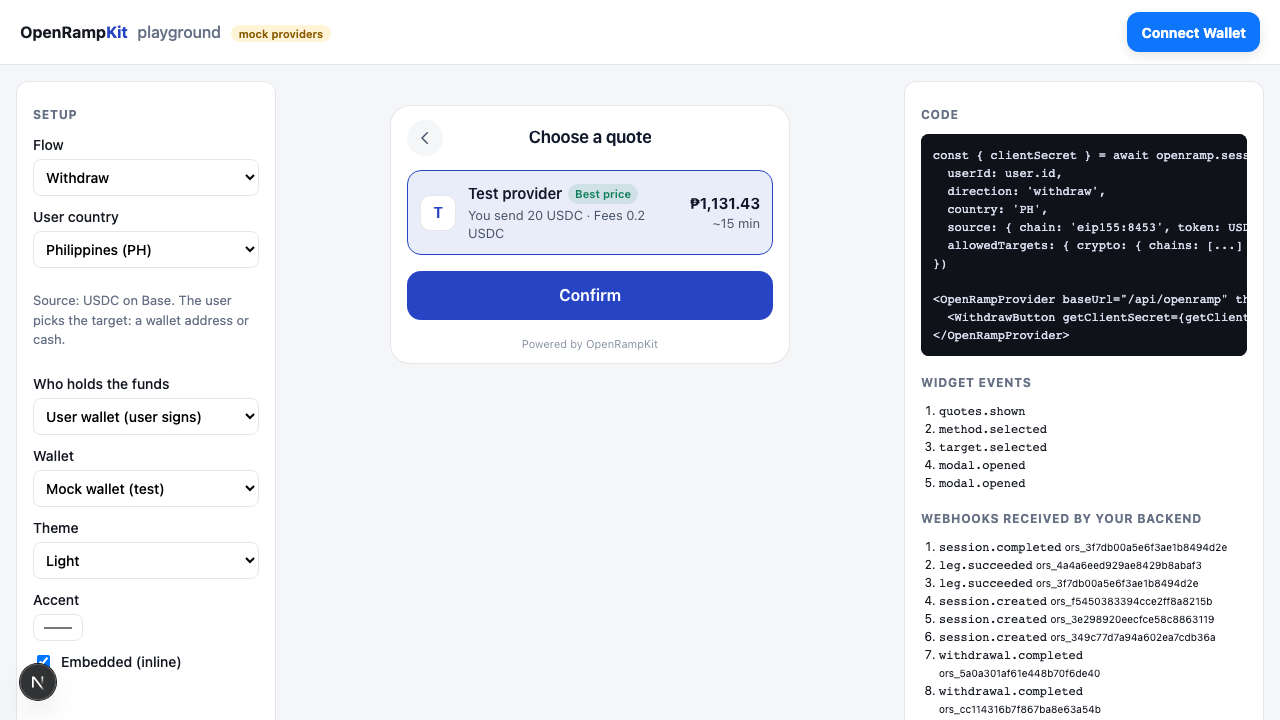 |
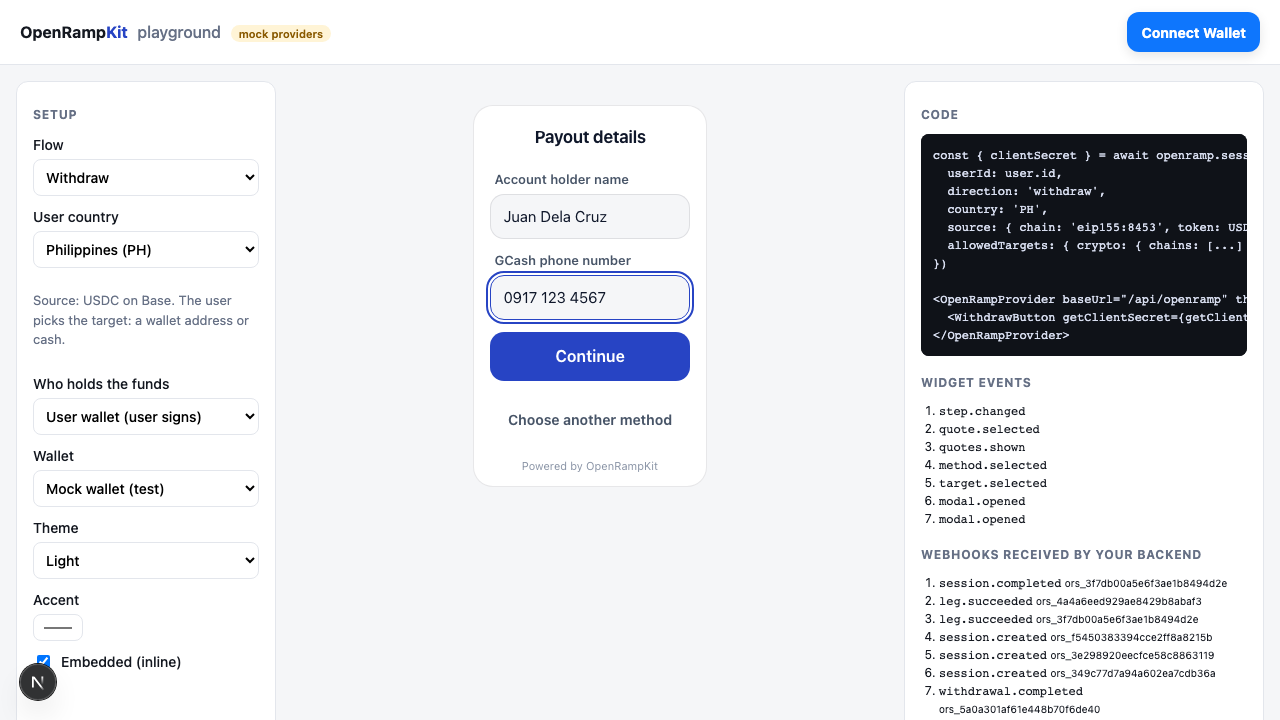
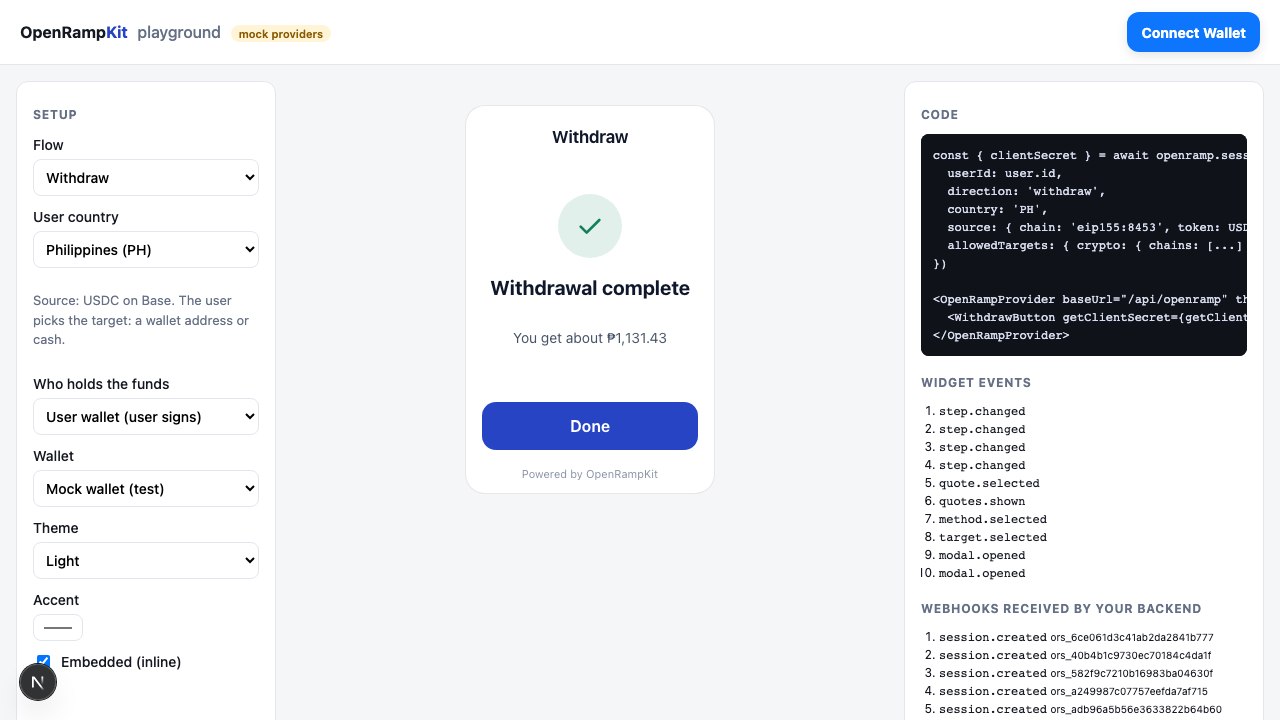
After the user confirms a quote, the offramp provider asks for the payout account (a FORM, or its own page in an IFRAME). Then it asks for the crypto: a WALLET_TX to the provider's deposit address. When the provider pays out, the leg completes.
| Payout details | Send USDC | Done |
|---|---|---|
 |  |  |
Adapters with offramp legs:
- Swapped: bank transfer (EUR, DKK, GBP), Skrill, PIX and Interac, with a live payout catalog.
- Mock with
offramp: true: bank transfer, GCash, MoMo and PromptPay. It moves no money.
To Cash App
The "To Cash App" tab pays out over Lightning to a Cash App $cashtag or to any Lightning address (name@domain). The Flashnet adapter runs it from USDC on Base, Ethereum, Arbitrum, Optimism or Polygon. The modal shows the tab only when you set allowedDestinations.lightning:
openramp.sessions.create({
  userId: user.id,
  direction: 'withdraw',
  source: { chain: 'eip155:8453', token: USDC_BASE, custody: 'user_wallet' },
  allowedDestinations: { crypto: {}, lightning: { domains: ['cash.app'] } }, // To wallet, and Cash App only
  country: 'US',
})- The user types
$alice(oralice, oralice@cash.app) or a Lightning address. The modal checks the format, then sends{ type: 'lightning', address }toPOST /sessions/:id/target. - The server parses the address again, then checks
allowedDestinations, then yourscreenLightningAddresshook. It stores the normalized target as the session destination:{ type: 'lightning', address: 'alice@cash.app', cashtag: '$alice' }. The adapter reads the recipient only from this stored target. - The user enters the amount in the source token and confirms a quote. The output is BTC (sats) and is an estimate: Lightning delivery is variable.
- The leg asks for a
WALLET_TX: a USDC transfer to the provider's deposit address. The user signs it, or your treasury sends it. - The provider pays the Lightning address. The leg completes.
The format rules:
| Input | Target |
|---|---|
$alice, alice, alice@cash.app | Cash App: 1 to 20 letters or digits, with at least one letter. Case is kept. |
name@domain | A Lightning address: a user name of letters, digits, ., _, - or +, and a domain with a dot and a letter TLD. The domain is made lower case. |
| Anything else | 400: "Enter a valid $cashtag or Lightning address (name@domain)." Invoices (BOLT11, BOLT12), LNURL strings, URLs and IP addresses are refused. |
Cash App dollars
A completed payout means the Lightning payment arrived, not that Cash App credited dollars. To get dollars, the user turns on "Receive Lightning as dollars" in the Bitcoin section of Cash App. The modal shows this hint under the input. A missing account or an amount outside the wallet's limits can fail after funding: then the provider refunds the sender.
Custody
source.custody tells the server who signs the transaction that sends the funds.
custody: 'user_wallet'
The funds are in the user's own wallet. The modal shows the WALLET_TX step and the user signs it. The user must connect a wallet: without one, every method is in "Not available" with "Connect your wallet to withdraw." The server passes the connected address to providers as the sender.
Check the balance on the server
The modal reads the wallet balance in the browser. The server does not, unless you turn on withdraw.checkBalance. Then the server reads the balance of the source token in the connected wallet over JSON-RPC (ERC-20 balanceOf, or eth_getBalance for token: 'native'):
createOpenRamp({
  // ...
  withdraw: {
    checkBalance: {
      rpcUrls: { 'eip155:8453': 'https://mainnet.base.org', 'eip155:42161': 'https://arb1.arbitrum.io/rpc' },
      timeoutMs: 3000, // per RPC call (default 3000)
    },
  },
})
POST /sessions/:id/quotes: when the amount (in the source token) is above the balance, the server answers422 AMOUNT_TOO_HIGHwith the message "Your wallet has 10.5 USDC. Enter a lower amount." and calls no provider. WithamountSide: 'destination', each quote whose input is above the balance becomes anAMOUNT_TOO_HIGHitem inerrors.POST /sessions/:id/select: the server reads the balance again before it starts the first leg, because the balance can change after the quote. Too low gives the same422 AMOUNT_TOO_HIGH, and no payment starts.- The check fails open: an RPC error, an HTTP error or a timeout does not block the withdrawal. The server logs a warning ("withdraw balance check failed") and goes on.
- The check applies only to
custody: 'user_wallet'on EVM chains (eip155:*) with an entry inrpcUrls, and only when the source decimals are known (USDC, native tokens, orsource.decimals). Other sessions are not checked.
The method stays in the list: the balance is compared with an amount, and the plan has no amount yet. So a low balance is an error on the amount (like the amountBounds maximum), not a "Not available" method.
custody: 'app'
Your app holds the funds (for example in a hot wallet or a custodial account). The user never signs. When the leg shows a WALLET_TX that waits for the user, the server calls your treasury.send() hook instead:
import { createOpenRamp, TreasuryRefusedError } from '@openrampkit/server'

createOpenRamp({
  // ...
  treasury: {
    address: '0xYourHotWallet', // optional: the sender, given to providers for exact quotes (Relay)
    async send({ sessionId, userId, chain, txs, idempotencyKey }) {
      // Check and debit the user's balance first. To refuse before you send anything:
      if (!(await hasBalance(userId, txs))) throw new TreasuryRefusedError('Not enough balance')
      const hash = await hotWallet.sendAll(chain, txs, { idempotencyKey })
      return { hash } // the hash of the last transaction
    },
  },
})| Input | Description |
|---|---|
sessionId, userId | The session and your user id |
chain | CAIP-2 chain id of the transactions |
txs | TxRequest[]: { to, data?, value?, chainId, gas? }. Send them in order. |
idempotencyKey | Stable for one leg step. Send at most once per key. |
What the server does:
- It marks the step as sent and saves the session (with the version check) before it calls the hook. When two requests start the same step at the same time, one save fails with
409 CONFLICT, so only one request calls the hook. It calls the hook at most once per step, and the key lets you drop a retry on your side. - The saved session shows the leg as
processingbefore the hook runs. When the server stops, or a provider call fails after the hook sent the funds, the session staysPROCESSING: it does not show theWALLET_TX, and it refusesrestartand a newselect. Thus a second payment cannot make the treasury send again. The sweep polls the provider. When the provider never sees the transfer, the session shows as stuck in the admin tools, and an operator closes it (admin.resolve). - It reports the hash to the adapter (the leg's
tx_hashtransition), or it waits for the provider to see the transfer. - When the hook throws, the leg fails with
PAYMENT_FAILED("The withdrawal could not be sent. Contact support.").- A
TreasuryRefusedErrormeans "refused, nothing sent". The attempt fails, and the user can try again. - Any other error means "the funds may have left" (for example a timeout after the broadcast). The failure is final (status
failed), the session refuses a new attempt, and an operator resolves it. This fails closed, so an error can never cause a second payout.
- A
- When the treasury sent funds and the provider then fails the order, the failure is final (status
failed). The session refuses a new attempt, so the treasury cannot send a second time. An operator resolves the session (admin.resolve) and refunds the user if the provider returned the funds. - Without a
treasuryhook, every method of anappsession is in "Not available" with "Withdrawals are not set up for this app yet."
The server does not know the user's balance
The server does not check that the user owns the funds that the treasury sends. amountBounds limits each withdrawal, but it does not know the balance. In send(), check the user's balance for this session, debit it (once per idempotencyKey), and throw TreasuryRefusedError to refuse. Also check the amount and the recipient of txs. An offramp such as Swapped sets the deposit address and the amount in its own webhook, so the transaction can differ from the quote.
Set treasury.address when you use Relay. Relay builds its transactions for a sender address. Without it, quotes use a placeholder sender.
Allowed targets
allowedDestinations limits what the user can pick. Without it, the user can pick any target.
type AllowedDestinations = {
  crypto?: { chains?: string[] }       // absent: no "To wallet". chains absent: any chain
  fiat?: { currencies?: string[] }     // absent: no "To cash". currencies absent: any currency
  lightning?: { domains?: string[] }   // absent: no "To Cash App". domains absent: any domain
}- The modal shows only the allowed tabs. Without
allowedDestinations, it shows "To wallet" and "To cash" (the "To Cash App" tab needslightning). Withcrypto.chains, the network list shows only those chains. Withlightning.domains(for example['cash.app']), the server refuses a Lightning address on another domain. Without it, the list has every chain with a known USDC address, plus the source chain. - The server checks every target. A target that is not allowed gets
403 DESTINATION_NOT_ALLOWED. - When the app allows neither type, the modal shows an error.
Screen addresses
Add screenAddress to check each "To wallet" address before the user can use it. For example, call a sanctions API.
createOpenRamp({
  // ...
  screenAddress: async (address, chain) => {
    const r = await sanctions.check(address)
    return r.clean // true to allow
  },
})
It fails closed:
| Hook result | Response |
|---|---|
true | The target is accepted |
false (or anything that is not true) | 403 ADDRESS_REJECTED: "This address cannot receive withdrawals. Use another address." |
| It throws | 503 PROVIDER_UNAVAILABLE: "We could not check this address. Try again." |
The server calls it only for crypto targets. Fiat payout accounts are checked by the offramp provider.
Screen Lightning targets
Add screenLightningAddress to check each "To Cash App" target. address is the normalized Lightning address, and info.cashtag is set for a Cash App user.
createOpenRamp({
  // ...
  screenLightningAddress: async (address, { cashtag }) => {
    const r = await risk.checkPayee(cashtag ?? address)
    return r.clean // true to allow
  },
})
It fails closed like screenAddress: false (or any value that is not true) gives 403 ADDRESS_REJECTED, and an error gives 503 PROVIDER_UNAVAILABLE. When you set screenAddress but not screenLightningAddress, every Lightning target gets 403 DESTINATION_NOT_ALLOWED, so a payout never skips your screening. The server never passes a Lightning address to screenAddress.
The /target route
POST {baseUrl}/sessions/:id/target sets the target of a withdraw session and returns the plan. The client calls it for you. See HTTP routes for the body and the errors.
The user can change the target until a payment starts. Each call replaces the destination and clears the stored quotes. A locked target cannot change: the route answers 409 DESTINATION_LOCKED.
Locked targets
Your backend can set the destination when it creates the session (destination). Add lockDestination: true, and nobody can change it later: not the client secret, and not a person with a pay link. Use it for payouts to an address that your backend already knows, for example a payout to a saved wallet or to a cash currency that you set.
const session = await openramp.sessions.create({
  userId: user.id,
  direction: 'withdraw',
  source: { chain: 'eip155:8453', token: USDC_BASE, custody: 'app' },
  destination: { type: 'crypto', chain: 'eip155:42161', token: USDC_ARB, address: savedWallet },
  // or: destination: { type: 'fiat', currency: 'PHP' },
  lockDestination: true,
})destinationhas the same shape as the body ofPOST /sessions/:id/target.- The server checks it at creation, as for
/target: the format, thenallowedDestinations, thenscreenAddress(orscreenLightningAddressfor{ type: 'lightning', address }). A refused target throws (400,403or503), and the server makes no session. - The server stores it as the session destination.
PublicSessionhasdestinationanddestinationLocked: true. POST /sessions/:id/targetanswers409 DESTINATION_LOCKED("The app set where these funds go. You cannot change it."). Get the plan withPOST /sessions/:id/plan.- The modal does not show the target screen or the tabs. A wallet target shows as a read-only line ("To 0x2222...2222 on Arbitrum") on the methods and amount screens. A cash target opens the payout methods in its currency. With one wallet method, the modal goes straight to the amount screen.
- Without
lockDestination,destinationis only a first value. The user can change it with/target. - A locked cash target fixes the currency only. The person still gives their bank or e-wallet account to the offramp provider.
Events
For a withdraw session, the server sends the usual session webhooks. There are no separate withdrawal events: data.object.session.direction is withdraw. A payout that the bank returns after success is session.reversed.
data.object.session.result tells what left and what arrived:
{
  "method": "gcash",
  "provider": "Test provider",
  "input": { "value": "20", "asset": { "kind": "crypto", "chain": "eip155:8453", "token": "0x8335...", "symbol": "USDC", "decimals": 6 } },
  "output": { "value": "1131.43", "asset": { "kind": "fiat", "currency": "PHP" } },
  "outputConfirmed": true,
  "fees": [{ "kind": "provider", "label": "Test provider fee", "amount": { "value": "0.2", "asset": { "kind": "crypto", "chain": "eip155:8453", "token": "0x8335...", "symbol": "USDC", "decimals": 6 } }, "included": true }],
  "transactions": [{ "role": "source", "chain": "eip155:8453", "hash": "0x...", "legIndex": 0, "explorerUrl": "https://basescan.org/tx/0x..." }],
  "delivery": { "status": "ok", "legIndex": 0, "expected": { "...": "..." }, "minimum": { "...": "..." }, "received": { "...": "..." } }
}
The source transaction is the one that sent the funds from the user's wallet or from your treasury. With custody: 'app', the server adds the treasury's hash as a source transaction, also when the adapter does not report it.
outputConfirmed is false when output is the quote, not a value that the provider or the chain reported. For example, Swapped sell legs do not report the payout amount, so output stays the estimate from the quote.
The browser also emits target.selected with { type: 'crypto', chain, token }, { type: 'fiat', currency } or { type: 'lightning', cashApp } (no address). See Events.
How withdrawals are planned
A withdrawal pathway always has one leg. The leg must move crypto out with a signed transaction (it declares the WALLET_TX surface). See Pathways and legs.
Try it
The Next.js example has a withdraw flow in its playground. Pick Withdraw in the Flow list, and pick who holds the funds. It uses the mock wallet, the mock offramp and a demo treasury that only pretends to send. Its screenAddress hook refuses the burn address 0x...dEaD. See Examples.